Chat, calls and screen sharing for radiology teams: Show the study. Don't describe it.
RADIN Connect is a chat window on every RADIN™ screen. See who is online, send a message or a link that opens the study, and start an audio call, a video call, a conference call or a screen share. Radiologists consult each other on cases, and mammography technologists show studies to a radiologist at another site.
Thousands
Of usersconnected on RADIN Connect.
SOC 2 Type 2
Controlscover messages and calls in RADIN Connect.
The images are on the screen. So is the conversation.
Calls in RADIN Connect are audio and video conferences inside RADIN, so there is no phone call. Your colleague opens the same study from a link, and you both look at the images while you talk. The same goes for a mammography technologist and a radiologist at another site.
How it works
One window, in the corner of every RADIN screen.
A small icon in the bottom-left corner opens RADIN Connect, in RADIN RIS, RADIN PACS and Dictation AI® alike.
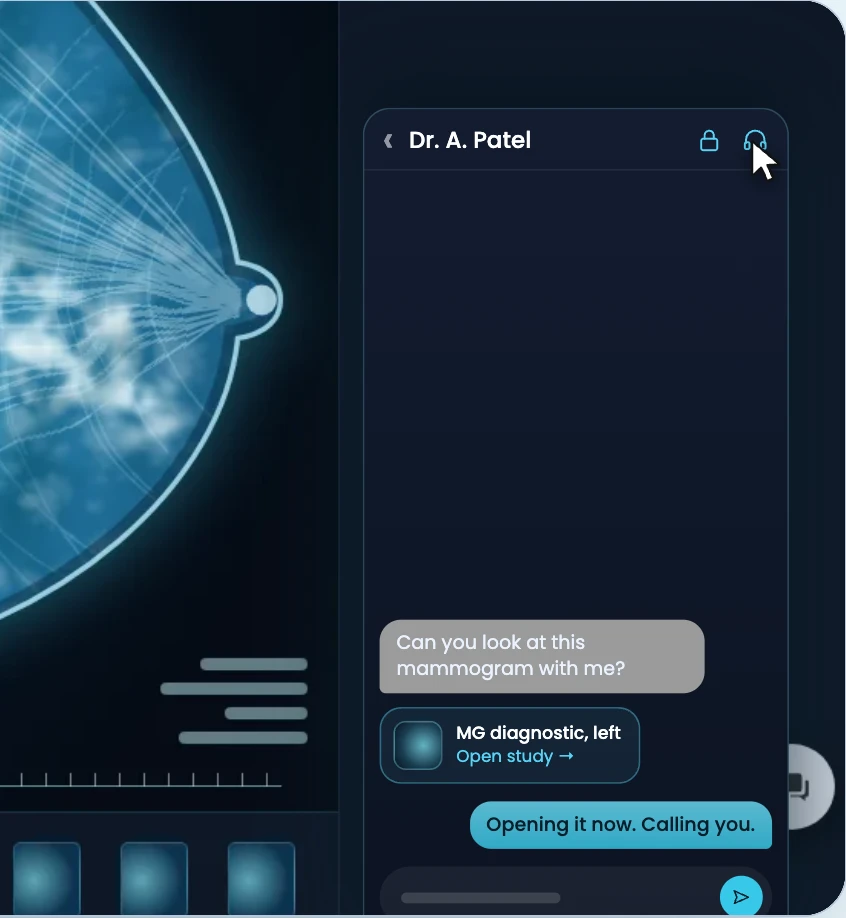
- Recent chats
- Your last conversations.
- People
- Search for anyone with access to your RADIN, including outside radiologists linked to your organization, and see who is online, marked in green.
- Messages and study links
- Send a message, or a link that opens the study.
- Calls
- Start an audio call, a video call or a conference call with several people.
- Screen sharing
- Share your screen with the other person.
- Phone and tablet
- RADIN Connect works on a phone or tablet too, so a radiologist can answer a technologist from wherever they are.
Security. Messages and calls are covered by RADIN's SOC 2 Type 2 controls. A study link opens only for someone allowed to see that study. You set how chat history is kept.
For radiologists
Send the link. Talk it through.
Read this next
Tell a radiologist which case to read next, with a link that opens it.
A review
Send a colleague a case to review, with a link that opens the study.
A consult
Call a colleague by audio or video and share your screen with the study open. Or start a conference call with several radiologists.
Teaching
A resident and an attending go over a preliminary report together.
Across the team
Technologists, coordinators and support use it too.
A protocol question
A technologist asks the radiologist about a protocol or extra views while the patient is still on the table.
A worklist question
A coordinator and a radiologist settle a worklist question without a phone call.
Support
Support staff share a screen with a user.
From another site
Guide the next view while the patient is still there.
In live telemammography, the radiologist does not have to be at the site to see the study and guide the technologist.
-
The mammography technologist sends the radiologist a link that opens the study, and can also show it on a call.
-
The radiologist opens the study and shows where to take a spot compression view on a shared screen, and can also annotate the image.
-
The technologist takes the view during the same visit.
Remote supervision. A radiologist can also supervise from another location.
Add-on
Add it to RADIN when you need it.
RADIN Connect is an add-on to RADIN, including when you run only RADIN PACS.
Who it is for
Imaging centers
In live telemammography, a radiologist at another site sees the study and shows the mammography technologist where to take a spot compression view.
Hospitals and health systems
Radiologists send each other cases and consult on studies by message, call or screen share.
Radiology groups and teleradiology
Radiologists at different sites send each other cases and consult on calls.
RADIN Connect
Bring the study into the conversation.
Tell us how your radiologists and technologists reach each other today, and across how many sites. We'll show you how RADIN Connect would work for your team.
RADIN™ and Dictation AI® are trademarks of Radin Health. Screens marked Illustrative show example workflows and data.